Every room, every housekeeper, one clear picture.
Smoor tells each housekeeper exactly which rooms to clean, and shows you what is done and what is left, live. No clipboards, no phone calls, no shouting down the corridor.
Free to startNo card neededSet up in a minute
Up and running before your next checkout
No installation, no training day, no IT person.
Create your hotel
Enter your hotel name, how many floors and rooms. Smoor builds the room list and a standard cleaning checklist for you. Change anything later.
Share your hotel code
Your team joins with a short code and a PIN. You approve each person, so only your staff get in.
Assign and watch it happen
Hand out the day's rooms, or tap Auto-balance. Housekeepers tap when they start and finish. You see it the moment it changes.
Everything a small team needs, nothing it doesn't
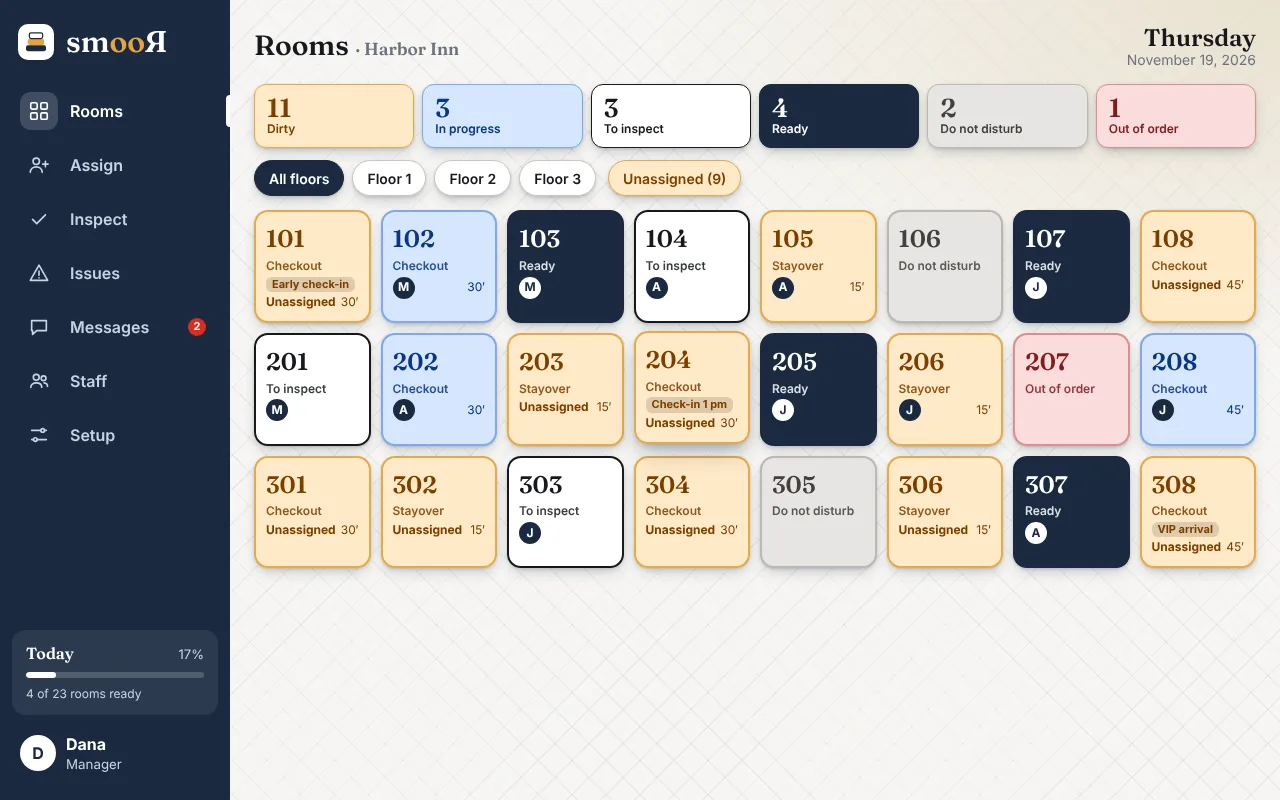
A live room board
Dirty, in progress, to inspect, ready, do not disturb, out of order. Colours you can read from across the lobby.
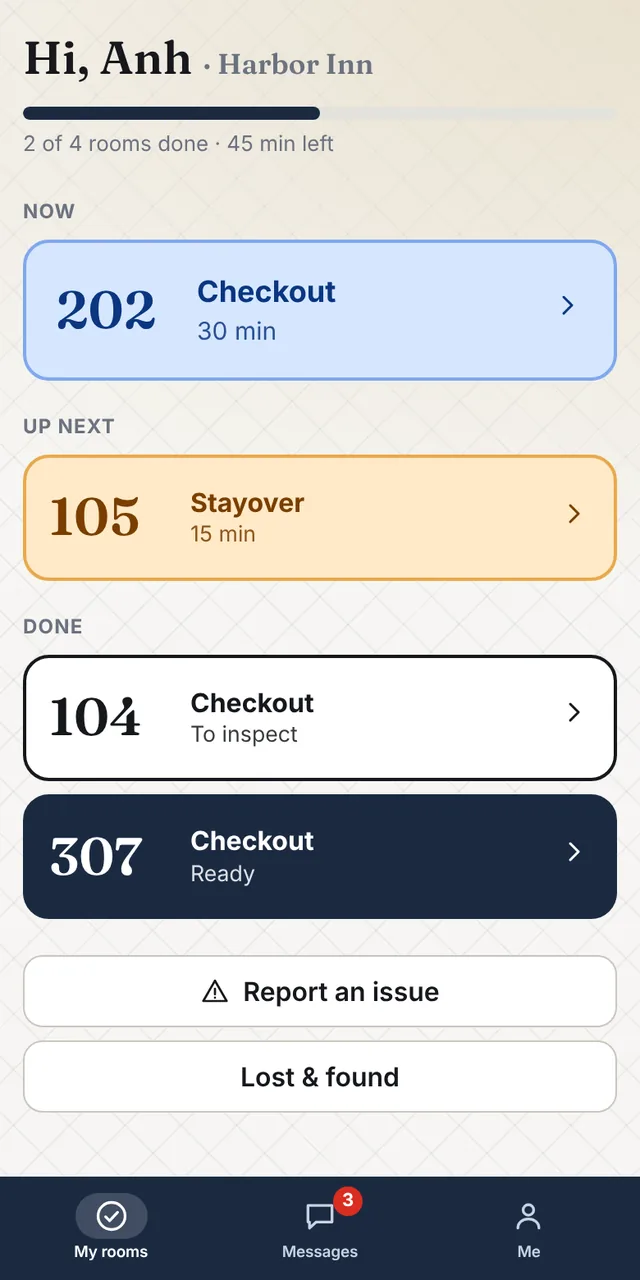
Just their own rooms
Each housekeeper sees only today's rooms, in order, with the time to aim for. Big buttons made for one-handed use.
Checklists and deep cleans
A tick-list for each room type, plus a separate deep-clean list and its own time estimate.
Issues and maintenance
Report a broken lamp from any room, or any place, with a photo. Your maintenance person sees exactly what to fix.
Messages and lost & found
Talk to the team without a group chat. Log what guests leave behind and note what happens to it.
In your team's language
English, Spanish, Thai and Swedish. Each person picks their own, so everyone reads the same job in the words they know best.
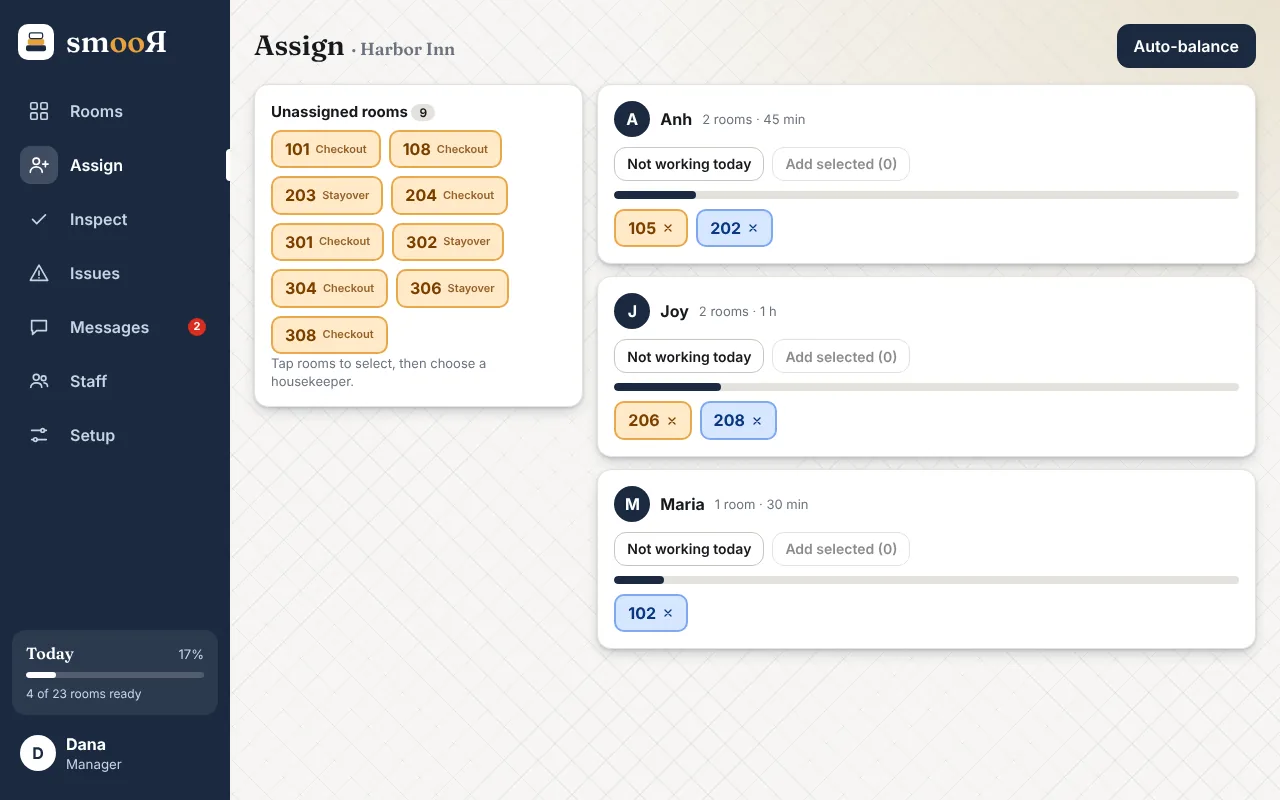
Hand out the day in a minute
See who has too much and who has too little, then move rooms around with a tap. Mark someone as not working today and their rooms drop back into the pile.
- Estimated time per person, so the load is fair
- Auto-balance spreads the work for you
- Optional inspection step before a room counts as ready
- A full history of who cleaned what, and when
Works like an app. No app store.
Open Smoor in your browser, then add it to your home screen. It opens full screen like any other app and keeps working when the signal drops.
iPhone or iPad
- Open Smoor in Safari
- Tap the Share button
- Choose “Add to Home Screen”
Android
- Open Smoor in Chrome
- Tap the ⋮ menu
- Choose “Install app” or “Add to Home screen”
Computer
- Open Smoor in Chrome or Edge
- Click the install icon in the address bar
- Pin it to your taskbar or dock